
Crashes, No Sound, or Screen Glitches?
Random freezes, missing sound and display glitches usually trace back to one bad driver. Find and replace yours safely.Free scan · under a minuteWindows Errors? Fix Them Before They Spread
Repair common Windows errors and clear accumulated junk for a smoother, more stable PC - no reinstall needed.Free scan · no reinstalliTechGuides is reader-supported. When you buy through links on our site, we may earn an affiliate commission. As an Amazon Associate I earn from qualifying purchases. Learn more
Is 64GB RAM too much for gaming? For most gaming-only PCs, yes: 32GB is the practical target in 2026, while 16GB remains usable for many games. 64GB becomes worthwhile for Microsoft Flight Simulator 2024’s ideal configuration, Escape from Tarkov’s recommended configuration, heavy mods, demanding multitasking, streaming, or creative work.
More system RAM does not automatically increase FPS. Additional capacity helps when Windows, the game, mods, and background applications are exhausting available memory and causing paging, hitching, crashes, or severe frame-time spikes. If a healthy 32GB system is not under memory pressure, money spent on a stronger GPU, CPU, SSD, or cooling will usually produce a more noticeable gaming benefit.
Key takeaways
- 32GB is the best general-purpose target for a new gaming PC in 2026, while 16GB can still handle many games with limited background activity.
- 64GB usually improves capacity headroom and smoothness rather than average FPS, and it only helps substantially when the workload approaches the limits of 32GB.
- Microsoft Flight Simulator 2024 lists 64GB as ideal, and Escape from Tarkov lists 64GB as recommended; those are specific game targets, not universal PC gaming requirements.
- A matched 2×32GB kit is generally preferable to combining two separate 2×16GB kits because four DIMMs and mixed kits can be harder for a memory controller to run at advertised speeds.
- System RAM cannot compensate for insufficient GPU performance or VRAM, CPU limitations, slow storage, shader compilation, overheating, unstable settings, or game-engine problems.
How much RAM do you need for gaming?
For the exact question “Is 64GB RAM too much for gaming?”, the answer depends on the complete workload rather than the game alone. The following is a practical buying guide, not a claim that every game has the same requirement.
What’s actually slowing this PC down?
Pick the symptom - the matching free tool is one click away.
| Installed RAM | Practical interpretation | Best fit | Main limitation |
|---|---|---|---|
| 8GB | Below the preferred target for a modern gaming PC | Older, lightweight, or esports games with compromises | Limited room for Windows, modern games, and background applications |
| 16GB | Still playable for many games | Budget systems, older games, competitive games, and light multitasking | Less comfortable for demanding modern games, mods, and multitasking |
| 32GB | Best general-purpose target in 2026 | Current AAA games, Discord, browsers, launchers, overlays, and ordinary streaming | May become restrictive for unusually large games, extensive mods, or creation workloads |
| 64GB | Usually unnecessary for gaming alone, but valuable extra capacity | Demanding simulators, heavy mods, gaming plus streaming or recording, and gaming plus professional work | Provides little benefit when the workload already fits comfortably in 32GB |
| 96GB–128GB or more | Primarily workstation or development capacity | Virtual machines, local AI tools, software development, servers, professional simulation, and content creation | Ordinary gaming rarely uses enough memory to justify it |
Microsoft’s Windows buying guidance places typical gaming and streaming needs around 16GB, while Microsoft’s gaming setup guidance identifies 32GB as more appropriate for serious players using demanding games or heavy mods. Those recommendations support 32GB as a sensible mainstream target, not as a universal minimum.
Popular on Amazon

- Boosts System Performance: 64GB DDR4 desktop memory RAM kit (2x32GB) that operates at 3200MHz, 2933MHz, or 2666MHz to improve multitasking and system responsiveness for smoother performance
- Easy Installation: Upgrade your desktop RAM with ease—no computer skills required Follow step-by-step how-to guides available at Crucial for a smooth, worry-free installation
- Compatibility Guaranteed: Ensure seamless compatibility with your desktop by using the Crucial System Scanner or Crucial Upgrade Selector—get accurate recommendations for your specific device
- Trusted Micron Quality: Backed by 42 years of memory expertise, this DDR4 RAM is rigorously tested at both component and module levels, ensuring top performance and reliability
- ECC Type = Non-ECC, Form Factor = UDIMM, Pin Count = 288-pin, PC Speed = PC4-25600, Voltage = 1.2V, Rank and Configuration = 2Rx8
What does RAM do in a gaming PC?
System RAM temporarily holds data that Windows and active programs need quickly. During a gaming session, that data can include the game executable, world and asset data, Windows services, launchers, browser tabs, Discord, recording software, overlays, mods, and other applications.
| Memory type | Primary job | What more capacity can help | What it cannot fix |
|---|---|---|---|
| System RAM | Stores data for Windows, games, and applications | Memory pressure, paging, application contention, and some loading or hitching problems | A weak GPU, low GPU VRAM, CPU bottlenecks, or every type of stutter |
| GPU VRAM | Stores textures, frame buffers, ray-tracing data, and other graphics data on the graphics card | Graphics workloads that fit within the card’s VRAM capacity | Insufficient GPU rendering power; system RAM is not a substitute for VRAM |
| Storage and page file | Stores files permanently; the page file gives Windows slower overflow memory management | Some protection against crashes when physical RAM is under pressure | The speed and latency of physical RAM; an SSD or page file is much slower than RAM |
System RAM and GPU VRAM are not interchangeable. A PC with 64GB of system RAM can still stutter or reduce texture quality if its graphics card lacks enough VRAM. A conventional gaming PC also differs from a console: a PC generally uses separate system RAM and GPU VRAM, while a console uses one unified memory pool shared by its CPU and GPU.
Integrated-graphics systems are a partial exception because integrated graphics may reserve part of system RAM for graphics use. Additional RAM can therefore be more valuable on an integrated-graphics PC, although dual-channel operation and memory bandwidth remain important.
What does the Steam Hardware Survey say about gaming RAM?
According to the Steam Hardware & Software Survey for June 2026, 16GB appeared in 41.43% of surveyed Windows systems, 32GB appeared in 37.82%, 64GB appeared in 4.15%, and more than 64GB appeared in 0.57%.
| RAM installed | Share of surveyed Windows systems in June 2026 |
|---|---|
| 16GB | 41.43% |
| 32GB | 37.82% |
| 64GB | 4.15% |
| More than 64GB | 0.57% |
The Steam survey is optional and anonymous. The figures describe what surveyed users have installed, not whether a particular capacity delivers acceptable FPS, low frame-time variance, or a good experience in a specific game. The survey is useful context: 64GB remains a minority configuration, while 16GB and 32GB account for most surveyed Windows systems.
Does 64GB RAM increase FPS?
64GB RAM usually does not increase average FPS when the game, Windows, and background applications already fit comfortably within 32GB. Rendering speed is more commonly limited by the GPU, CPU, game engine, graphics settings, storage behavior, or thermals once adequate system memory is available.
When 64GB probably changes little
If the complete workload leaves substantial available memory and does not cause significant paging, adding 32GB of unused capacity does not make the GPU render frames faster. A slower 64GB kit can even be a poor purchase if replacing a faster, stable 32GB kit and the workload does not need the extra capacity.
Do these 3 things before closing this tab:
1Clear out junk files and repair common Windows errors2Fix the driver behind crashes, sound loss and screen glitches3Repair Windows errors before they cause bigger problemsWhen 64GB can improve smoothness
If the system repeatedly approaches its memory limit, Windows may rely more heavily on the page file. Because storage is much slower than physical RAM, memory pressure can contribute to hitching, frame-time spikes, poor 1% lows, application closures, or out-of-memory errors. Moving to 64GB can reduce that pressure and make multitasking smoother.
The improvement may appear as fewer severe hitches rather than a dramatic change in the headline average FPS. A 64GB upgrade only helps when memory capacity is the bottleneck. Stutter caused by shader compilation, insufficient GPU VRAM, CPU scheduling, drivers, storage, overheating, unstable memory settings, or the game itself requires a different solution.
Independent testing can show these game-by-game differences, but test results depend on the platform, Windows configuration, background applications, game version, and settings. TechSpot’s comparative testing of 8GB, 16GB, 32GB, and 64GB should therefore be read as evidence from a particular test setup rather than a universal performance guarantee. PC Gamer’s separate testing and discussion similarly emphasizes that individual games and background workloads can create exceptions.
Which games and workloads can justify 64GB?
64GB makes sense when the game or the complete computing workload can use the additional capacity. Official requirements provide useful targets, but an official recommended amount does not guarantee a specific FPS, resolution, graphics preset, ray-tracing mode, frame rate, multiplayer density, or mod configuration.
Free tools Windows power users keep installed
One-click scans. No signup required.
| Game or workload | Published memory guidance | What the guidance means |
|---|---|---|
| Microsoft Flight Simulator 2024 | 16GB minimum, 32GB recommended, 64GB ideal | 64GB belongs to the official highest-end target configuration and is not a standalone requirement for ordinary play |
| Escape from Tarkov | 16GB minimum, 64GB recommended | 64GB is a reasonable choice for players who want to match the published recommended configuration, but proportional FPS gains are not guaranteed |
| Star Citizen | 32GB DDR4 listed in the developer’s published requirements | 32GB is the official target in that guidance; 64GB can add multitasking or workload headroom |
| Heavily modded games | Varies by game, mod, texture pack, and configuration | Large Minecraft packs, Skyrim or Fallout overhauls, Cities: Skylines setups, and simulation modifications can make 64GB useful, but more allocated RAM does not fix every mod or engine problem |
| Gaming plus other demanding software | Varies with the complete workload | Streaming, recording, many browser tabs, editing, virtual machines, local servers, 3D work, compiling, or local AI tools can make 64GB worthwhile |
Microsoft Flight Simulator 2024
The official Microsoft Flight Simulator 2024 FAQ lists 16GB RAM as minimum, 32GB as recommended, and 64GB as ideal. The ideal memory figure is paired with substantially stronger CPU and GPU hardware, so buying 64GB alone does not transform a lower-end PC into the ideal configuration.
Escape from Tarkov
The Escape from Tarkov Steam listing gives 16GB as minimum and 64GB as recommended. That makes Escape from Tarkov one of the clearest current examples where 64GB may be justified, although a developer’s recommendation is not proof that every player will see a proportional average-FPS improvement.
Star Citizen
Roberts Space Industries’ published Star Citizen requirements include 32GB DDR4. A 64GB system can still help players who run browsers, voice chat, streaming tools, servers, or other applications alongside the game, but 64GB should not be presented as Star Citizen’s official requirement unless the developer updates its guidance.
Mods, VR, and multitasking
Large mod packs can add textures, assets, scripts, world data, and simulated entities that increase the total memory footprint. VR can also make a 64GB configuration more attractive when the game, headset software, overlays, browsers, and other tools run simultaneously. Neither modding nor VR automatically requires 64GB: CPU limits, GPU VRAM, garbage collection, storage speed, and poorly optimized mods can remain the true bottlenecks.
Streaming or recording sometimes justifies 64GB, especially when a player runs OBS or another recorder, a browser with many tabs, Discord, music software, overlays, monitoring tools, a camera or capture workflow, and editing software at the same time. Ordinary single-PC streaming can still fit within 32GB, so the correct answer depends on the game, encoder, browser use, resolution, and complete workload.
How can you tell whether you need more RAM?
Measure memory use while reproducing the exact game, mod, and background-app scenario that causes concern. Do not decide from the game’s minimum requirement alone or from one isolated Task Manager usage number.
- Start Windows and open the game, mods, browser, Discord, recording software, or other applications normally used together.
- Reproduce the problem: enter the demanding map, load the busy save, join the server, start recording, or perform the task that causes hitching.
- Press Ctrl + Shift + Esc to open Task Manager.
- Select Performance, then choose Memory.
- Observe total usage, available memory, committed memory, and signs that the system is paging heavily during the problem.
- Open Processes and sort by memory to identify unusually heavy applications or launchers.
Windows labels can vary slightly by release and localization, so look for the controls by function rather than expecting identical wording. Sustained memory pressure during the reproducible workload is stronger evidence for a RAM upgrade than a brief high usage percentage.
| What you observe | What it suggests | Likely next step |
|---|---|---|
| Memory usage is comfortably below installed capacity and the game stutters | RAM capacity is unlikely to be the main bottleneck | Investigate GPU VRAM, CPU load, storage, shaders, drivers, thermals, and game settings |
| Available memory becomes very low and paging rises during the problem | Physical RAM capacity may be restricting the workload | Close background programs, reduce mod or texture load, or consider more RAM |
| Only one application uses unusually large amounts of memory | A browser, mod, tool, leak, or configuration may be responsible | Test without that application or update, remove, or reconfigure the software |
| Adding RAM does not change the measured problem | Capacity was probably not the cause | Stop buying memory and diagnose the other limiting component |
Task Manager’s reported usage is not identical to the game’s exact physical requirement. Windows uses memory for caching, and committed memory, cached memory, standby memory, and working-set values describe different things. Look for sustained pressure and reproducible paging or instability rather than treating one number as a definitive diagnosis.
Also popular on Amazon
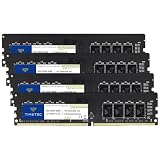
- Capacity – 64GB RAM KIT (4 x 16GB Modules) Speed up to 2666MHz Non-ECC Unbuffered 288-Pin 1.2V UDIMM.
- Specs – Black PCB Color and Dual Rank (2Rx8).
- Compatibility – Designed for selected DDR4 Desktop PCs and workstations that support 288-Pin UDIMM memory. NOT compatible with Laptop SODIMM slots.
- Installation – Plug-and-Play Upgrade, Quick and Easy to Install, no expertise required (please refer to your system's manual for guidelines).
- Warranty – All Timetec products are high-quality and rigorously tested to meet stringent standards. Backed by Timetec Limited Lifetime Warranty and professional technical support based in the United States.
Do not disable the Windows page file as a supposed performance fix. The page file is slower than physical RAM, but Windows can use it to manage memory and prevent some crashes. Reducing the need for paging with sufficient physical RAM is preferable to disabling the mechanism.
Should you buy 2×32GB or 4×16GB for 64GB?
For a 64GB desktop configuration, a matched 2×32GB kit is generally the safer starting point when the motherboard and CPU platform support it. Two modules are often easier for the memory controller to run at the advertised speed than four modules.
| Configuration | Advantages | Potential issue |
|---|---|---|
| 2×32GB matched kit | Validated together, dual-channel operation, two occupied slots, and usually an easier electrical load | Requires suitable 32GB DIMMs and may leave fewer immediate capacity choices on older platforms |
| 4×16GB from one matched kit | Can reach 64GB when a suitable four-DIMM kit is supported | Four modules can be more demanding and may not sustain the same XMP or EXPO speed |
| Two separate 2×16GB kits | May reuse existing memory and appear to offer the same capacity | Kits can contain different chips or validation characteristics; lower speed or manual troubleshooting may be necessary |
| One 64GB DIMM | Leaves slots open | Can sacrifice memory bandwidth on platforms designed for dual-channel operation |
Four-DIMM configurations can work, and two separate kits are not guaranteed to fail. The issue is that identical advertised specifications do not guarantee that different kits were validated together. CPU memory-controller quality, motherboard BIOS, board layout, DIMM type, and target speed all affect stability.
Use a matched kit rather than a single large module whenever possible. Check the motherboard’s memory support list, the CPU platform’s specifications, the latest stable BIOS guidance, and the kit’s DDR generation before buying. Enable XMP or EXPO only after confirming that the system is stable; advertised overclocked profiles are not guaranteed to work identically on every CPU and motherboard combination.
Is faster 32GB better than slower 64GB?
Faster, stable 32GB is often a better gaming choice than slower 64GB when the gaming workload does not exceed 32GB. Memory capacity should be sufficient first, but unused capacity does not compensate for an inappropriate memory speed, latency, or unstable configuration.
- Choose enough capacity for the complete workload. A memory upgrade is justified when the game and applications regularly approach the current limit.
- Match the DDR generation and physical platform. DDR4 does not fit DDR5 slots, and DDR5 does not fit DDR4 slots.
- Prioritize stable operation. A theoretically faster kit that crashes or requires aggressive manual tuning is worse than a slightly slower stable kit.
- Compare speed and latency after capacity. Platforms sensitive to memory bandwidth and latency can benefit from appropriately configured RAM.
- Consider the upgrade path. A 2×16GB kit may be sufficient now, while 2×32GB may make sense if the platform and workload justify longer-term headroom.
RAM generations are not interchangeable. The motherboard and CPU platform determine whether a kit is compatible, and laptop memory may be soldered or limited to one upgradeable slot. Verify that a laptop can actually accept a replacement module before purchasing an upgrade.
When should you spend the money somewhere else?
Buy more RAM only after confirming that RAM capacity is limiting the experience. A 64GB kit is a poor fit when the PC has ample unused memory, when a good 32GB kit would have to be replaced without evidence of pressure, or when another component clearly limits performance.
| Observed bottleneck | Upgrade or investigation more likely to help |
|---|---|
| Low GPU utilization is not present and the GPU is maxed out at the chosen settings | A stronger GPU or lower graphics settings |
| Textures exceed the graphics card’s VRAM capacity | A graphics card with more suitable VRAM; system RAM does not replace GPU VRAM |
| Simulation or strategy workload is CPU-limited | A faster CPU, subject to motherboard and platform compatibility |
| Long loading or asset-streaming delays come from a slow drive | A suitable SSD and a healthy game installation |
| Performance falls after sustained use because of high temperatures | Better cooling, airflow, fan configuration, or thermal troubleshooting |
| Stutter occurs during shader compilation or after driver changes | Shader, driver, and game-specific troubleshooting rather than automatically adding RAM |
Opportunity cost matters. A player with 64GB and a weak GPU can perform worse than a player with 32GB and a stronger GPU. For gaming-only upgrades, the graphics card, CPU, SSD, cooling, or monitor may provide a more visible improvement depending on the measured bottleneck.
Is 64GB RAM good future-proofing?
64GB adds headroom and can reduce the chance of needing a memory upgrade soon, but 64GB is not a guarantee that a PC will remain suitable for every future game or workload. Future games may change their memory needs, and the CPU, GPU, GPU VRAM, storage, or platform upgrade path may become outdated first.
For a new high-end PC, the extra capacity can be reasonable if the price premium is acceptable and the system will also handle mods, streaming, content creation, virtual machines, servers, or local development. For a gaming-only PC with a healthy 32GB kit, upgrading solely for vague future-proofing is usually difficult to justify without a current memory-pressure problem.
What should you buy for your gaming PC?
| Situation | Recommendation | Reason |
|---|---|---|
| New mainstream gaming PC | 32GB, preferably 2×16GB | Balances capacity, speed, compatibility, multitasking, and cost for typical gaming |
| Budget or older system | 16GB can remain acceptable | Works for many older, competitive, indie, or lightweight games with controlled background activity |
| High-end gaming plus multitasking | 64GB, preferably 2×32GB | Provides capacity for demanding games, heavy mods, browsers, streaming, recording, and other applications |
| Microsoft Flight Simulator 2024 ideal target | 64GB as part of the ideal configuration | Matches the official ideal memory specification, alongside the stronger hardware specified for that tier |
| Escape from Tarkov recommended target | 64GB | Matches the current Steam listing’s recommended memory figure |
| Gaming-only upgrade from a healthy 32GB system | Usually keep 32GB | Additional capacity is unlikely to improve FPS without measured memory pressure |
| Gaming plus video editing, 3D work, virtual machines, servers, compiling, or local AI | 64GB or more according to measured use | The non-gaming workload can consume substantially more memory than a game alone |
When shopping for a 64GB kit, compare compatible DDR4 or DDR5 products from established memory families such as Corsair memory, Kingston gaming memory, G.Skill memory, Crucial memory, and TeamGroup memory. These are vendor starting points rather than endorsements of a particular model. Check current availability, motherboard support, platform compatibility, speed, timings, and return policy before purchase; RAM pricing and stock change quickly.
Final recommendation: is 64GB RAM too much for gaming?
For ordinary gaming alone, 64GB is usually more than necessary in 2026, and 32GB is the sensible default for a new gaming PC. Keep 16GB if the games and limited background workload remain comfortable. Choose 64GB when measured memory use approaches 32GB, when a specific game such as Escape from Tarkov recommends it, when Microsoft Flight Simulator 2024’s ideal configuration is the target, or when heavy mods, streaming, recording, and professional applications share the PC.
Recommended Free Tools
The decisive test is memory pressure, not the capacity number by itself. If Task Manager shows plenty of available RAM while the game stutters, investigate GPU performance and VRAM, CPU load, storage, drivers, shaders, temperatures, and game-specific problems before buying a larger memory kit.
Frequently Asked Questions
Will 64GB RAM make games run faster than 32GB RAM?
64GB RAM will not usually increase average FPS when a game and background applications already fit comfortably within 32GB. 64GB can improve smoothness, reduce paging-related hitching, and prevent crashes when the workload is exhausting available memory.
Is 16GB RAM still enough for PC gaming in 2026?
16GB RAM remains usable for many games, particularly older, competitive, indie, and lightweight titles, when background applications are limited. 32GB provides more comfortable headroom for current AAA games, browsers, Discord, overlays, and multitasking.
Which games recommend or identify 64GB RAM?
Escape from Tarkov lists 64GB as its recommended memory amount, and Microsoft Flight Simulator 2024 lists 64GB as its ideal amount. Microsoft Flight Simulator 2024 lists 16GB minimum and 32GB recommended, while Star Citizen’s published requirement includes 32GB DDR4.
Quick wins for a faster PC:
Repair Windows errors before they cause bigger problemsFix Now →Fix the driver behind crashes, sound loss and screen glitchesFind Drivers →Clear out junk files and repair common Windows errorsFree Scan →Should a 64GB desktop use 2×32GB or 4×16GB RAM?
A matched 2×32GB kit is generally preferable because two DIMMs are often easier for the CPU memory controller to run at their advertised speed. Four-DIMM configurations can work, but they may require lower speeds or additional stability troubleshooting.
Can system RAM fix low VRAM or GPU-related stutter?
System RAM cannot replace graphics-card VRAM or make a weak GPU render frames faster. If the problem is low GPU VRAM, CPU limitation, shader compilation, slow storage, overheating, drivers, or a game-engine issue, adding system RAM may not solve the stutter.
The Bottom Line
Bottom line: Buy 32GB for a mainstream gaming PC, keep 16GB if your games remain comfortable, and choose 64GB for demanding simulators, Escape from Tarkov’s recommended target, extensive mods, serious multitasking, or gaming combined with creation and development work. Upgrade only when your measured workload shows that memory capacity is the bottleneck.

