
iTechGuides is reader-supported. When you buy through links on our site, we may earn an affiliate commission. As an Amazon Associate I earn from qualifying purchases. Learn more
Short answer: For most U.S. readers, The Weather Channel is the best all-purpose weather app because it combines severe-weather alerts, full-screen radar, future radar, and detailed hourly forecasts. Choose AccuWeather if your main question is when rain will start or stop, Windy for forecast maps and model comparison, CARROT Weather for customization, and Apple Weather or Google Weather for a quick, no-fuss forecast.
There is no universally most accurate weather app. Forecast quality depends on your location, the forecast provider, and how far ahead you are looking. A radar-based rain estimate for the next hour answers a different question from a seven-day temperature forecast. This guide compares documented features, coverage, alerts, map tools, customization, and cost rather than claiming a controlled in-house accuracy test.
Weather apps at a glance
| App | Best for | Standout features | Main limitation |
|---|---|---|---|
| The Weather Channel | Most people, especially in the U.S. | Severe alerts, full-screen radar, future radar, detailed hourly forecasts, Storm Radar | Free version is ad-supported; some advanced features require a subscription |
| AccuWeather | Minute-by-minute rain timing | MinuteCast, animated radar, RealFeel, WinterCast, health and air-quality information | Minute-level availability and usefulness vary by location and conditions |
| Windy | Serious maps, outdoor planning, and model comparison | Multiple forecast models, radar, satellite, aviation and marine layers | More complicated than a simple daily forecast app |
| CARROT Weather | Customization and widgets | Multiple data sources, configurable layouts, widgets, Apple Watch complications, detailed notifications | Features vary by region and paid tier |
| Apple Weather | The lowest-friction iPhone experience | System integration, current conditions, hourly and daily forecasts, selected alerts | Minute precipitation and severe alerts are region-dependent |
| Google Weather | Fast cross-platform lookups | Simple forecast presentation and short-term nowcast in supported regions | It is not a full specialist radar and weather-analysis dashboard |
| WeatherBug | Lightning and personal-station context | Lightning proximity alerts, radar, severe alerts, air quality, pollen, cameras, traffic, station data | Network-size and speed claims are vendor claims, not a universal accuracy finding |
1. The Weather Channel: best overall for most people
The Weather Channel is the strongest general recommendation for U.S. users who want one app for everyday forecasts and storm awareness. Its documented feature set covers current conditions, extended hourly detail, severe-weather alerts, full-screen radar, and future radar. The separate Storm Radar companion app is useful if storm tracking is more important to you than a compact daily forecast.
The app is particularly practical during changing weather. You can move from a daily forecast to an animated radar view, then check warnings and a longer-range outlook without switching providers. That breadth is why it is the best default recommendation, not because it wins every forecast at every location.
#1 Best Overall

- NOAA Weather Scan & Alert - This emergency weather alert radio features S.A.M.E localized programming and alert you to over 60 kinds of weather hazards and emergencies. NOAA Weather Scan will automatically alert you of events.
- S.A.M.E Localized Programming - The Specific Area Message Encoding (S.A.M.E.) allows the user to enter a code that is specific to your country, state, county and in some cases partial county.
- Notification Settings - Program your radio to receive weather alerts from up to 25 different counties and be alerted only when those specific counties are threatened. Color-coded alert indicators show the alert type and its severity.
- Additional Features - SAME localized programming, continuous backlighting option which keeps the LCD on, 25 programmable counties, color-coded alert indicators, alert override automatically switches to warn of impending danger.
- Experience a comprehensive range of radios from Midland, designed to keep you connected and informed. Our radios offer an array of features, including reliable real-time weather alerts, and robust two-way communication capabilities.
Free versus paid features
The free tier is ad-supported. The current web subscription page lists an annual ad-free Standard plan at $9.99 and an annual Premium plan at $29.99, but prices and feature bundles can change. Documented premium capabilities include up to 72 hours of future radar, forecasts out to 192 hours, more extended 15-minute detail, and access to Storm Radar. Check the current plan screen before subscribing, especially if a particular radar or forecast feature is the reason you are paying.
Accuracy caveat: The Weather Company cites ForecastWatch research covering 2021 through 2024 for global and regional accuracy claims. That research was commissioned by The Weather Company, so it should be treated as an attributed company claim rather than proof that the app is the most accurate choice for every city, forecast horizon, or weather event.
Choose it if: you want the broadest mix of radar, alerts, hourly detail, and everyday usability. Skip it if: advertising, location-data practices, or a busy interface are more important to you than feature breadth.
Do these 3 things before closing this tab:
1Clear out junk files and repair common Windows errors2Scan for outdated or missing drivers - takes under a minute3Repair Windows errors before they cause bigger problems2. AccuWeather: best for minute-by-minute rain timing
AccuWeather is the more targeted choice when your immediate question is, When will precipitation reach me, and when might it end? Its MinuteCast feature provides the expected precipitation type and intensity, along with estimated start and end times for the next several hours at a selected location.
That makes it useful for deciding whether to leave now, wait before walking the dog, or postpone a short outdoor task. MinuteCast is a short-term forecast aid, not a guarantee. Its availability and usefulness depend on location, precipitation conditions, and the quality of the underlying observations and radar data.
Other documented features include animated radar, severe-weather alerts, RealFeel temperature information, WinterCast for winter precipitation, air-quality information, and weather-related health details. The free app includes in-app purchases, while AccuWeather Premium Plus adds an ad-free experience and features such as premium widgets, extended forecasts, and additional alerts according to the current app listing.
Choose it if: short-term rain timing, perceived temperature, winter precipitation, or health-related weather details matter most. Skip it if: you want to compare several forecast models on a single map.
Free tools Windows power users keep installed
One-click scans. No signup required.
If MinuteCast is the feature you specifically want, compare the current plan details for AccuWeather Premium Plus before subscribing. Do not pay solely on the assumption that a premium tier makes every forecast more accurate.
3. Windy: best for serious weather maps and outdoor planning
Windy is built for people who want to inspect the weather rather than receive one simplified answer. It provides radar, satellite imagery, multiple forecast models, and specialist layers for activities such as aviation and marine planning. You can visually compare how models represent wind, rain, temperature, waves, pressure, and other conditions.
Rank #2

- [7400mWh (2000mAh) POWER BANK WILL KEEP DEVICES POWERED] The FosPower FOSPWB-2376 emergency radio incorporates a 7400mWh (2000mAh) power bank capable of providing emergency power to any small tablet or phone.
- [3 POWER SOURCES POWER WHEN YOU NEED IT] Use the emergency weather radio's 3 power sources when you need a boost of power or need to recharge the radio. The radio's crank lever and solar panel are both capable of regenerating enough power to keep the radio, lights, and SOS alarm ready to go when you need it most. AAA Batteries ensure you have power when not able to regenerate power.
- [2 LIGHT SOURCES ALWAYS POWERED] The emergency crank radio can also provide light. The 4 LED reading light and 1W flashlight provides enough output to keep you and your loved ones out of the dark in an emergency situation.
- [NOAA EMERGENCY WEATHER BROADCAST ACCESS] The radio will dependably receive up to the second emergency weather forecasts and emergency news broadcasts from NOAA and AM/FM stations.
- [LIMITED LIFETIME WARRANTY] Includes a Limited Lifetime Warranty. Please visit FosPower's website for more information.
Its radar nowcasting is documented for up to one hour, while model-based forecasts extend further into the future. Radar and satellite history helps you understand what a system has already done, and the map interface makes it easier to see why a forecast may be changing across a region.
The trade-off is complexity. Windy is excellent when you understand the difference between observed radar and a model forecast, but it can be excessive if you only need today’s high temperature and rain probability. A model disagreement is not necessarily an app failure; it is a useful signal that the forecast is uncertain.
Windy Premium adds extended forecast, model, and historical capabilities. The exact value depends on whether you will use those layers regularly. For hikers, sailors, pilots, photographers, and other outdoor users, Windy Premium is more relevant than a subscription that only removes ads from a basic forecast.
Choose it if: you plan around wind, visibility, waves, storms, or changing conditions and want to inspect multiple models. Skip it if: a map full of layers would make the forecast harder for you to use.
4. CARROT Weather: best customizable weather app
CARROT Weather is the best fit for readers who want to control how weather information is presented. It supports multiple data sources, configurable layouts, widgets, Apple Watch complications, weather maps, and notifications for precipitation, lightning, storm cells, and severe weather where those features are available.
The ability to choose data sources and arrange information is more important than it sounds. A commuter may want precipitation and travel conditions first; a gardener may prioritize temperature, rain totals, and air quality; an outdoor user may want wind and storm-cell notifications. CARROT lets the interface reflect that priority instead of forcing everyone into the same dashboard.
Quick wins for a faster PC:
Repair Windows errors before they cause bigger problemsFix Now →Scan for outdated or missing drivers - takes under a minuteDriver Scan →Clear out junk files and repair common Windows errorsFree Scan →CARROT is free to download with optional Premium, Premium Ultra, and Family tiers. The developer explains that data providers, map tiles, notifications, and background updates create additional costs, so feature access depends on the plan and region. Precipitation, lightning, storm-cell, radar, satellite, and warning features are not guaranteed to be available everywhere.
For readers who specifically value alternate data sources, widgets, and detailed alerts, CARROT Weather Premium or Premium Ultra may justify the cost. Check the current feature comparison for your country and device before subscribing; the most impressive features are not necessarily included in every tier.
Choose it if: you want a highly configurable dashboard and notification system. Skip it if: you prefer a completely free, built-in forecast with no setup decisions.
Rank #3

- 【Reliable 𝗡𝗢𝗔𝗔/𝗔𝗠/𝗙𝗠 Reception with Clear Sound】With a high-sensitivity signal chip, noise-reduction circuitry, and an extended antenna, the radio ensures 𝗳𝗮𝘀𝘁, 𝘀𝘁𝗮𝗯𝗹𝗲 𝗿𝗲𝗰𝗲𝗽𝘁𝗶𝗼𝗻 across NOAA FM AM bands. Whether you're sheltering during a storm or camping off the grid, you'll hear every update loud and clear.
- 【𝗛𝗶𝗴𝗵-𝗘𝗳𝗳𝗶𝗰𝗶𝗲𝗻𝗰𝘆 𝗦𝗼𝗹𝗮𝗿 𝗖𝗵𝗮𝗿𝗴𝗶𝗻𝗴 with Extra-Large Panel】The solar radio features a massive 8500mm² high-efficiency monocrystalline solar panel—over 4× larger than typical 2000mm² decorative polysilicon panels on the market. The expansive panel captures significantly more sunlight, delivering faster charging even in low-light conditions. Perfect for camping, power outages, and off-grid emergencies.
- 【𝗛𝗶𝗴𝗵-𝗧𝗼𝗿𝗾𝘂𝗲 𝗖𝗿𝗮𝗻𝗸 𝗣𝗼𝘄𝗲𝗿 for Fast Effortless Charging】With an upgraded internal generator—featuring a larger copper coil and reinforced magnet, the hand crank emergency radio delivers nearly 2× the charging efficiency of standard models. The extended crank arm offers smooth, low-effort rotation, letting you power up the radio or your phone in just 3 minutes when other sources fail. A must-have for your bug-out bag, survival kit, or emergency backpack.
- 【𝗧𝗿𝘂𝗲 𝟭𝟮𝟬𝟬𝟬𝗺𝗔𝗵 Power Capacity That Lasts】 Unlike inflated claims, the emergency crank radio is powered by a real 12000mAh lithium battery that keeps your gear running when you need it most. Whether you’re charging your phone or keeping the radio and lights on for days, you’ll have dependable energy throughout storms, blackouts, or outdoor adventures.
- 【Versatile Emergency Flashlight & Soft Reading Light】The noaa am fm radio includes a powerful flashlight that casts a focused beam up to 260 feet, perfect for dark trails, tents, or emergency navigation. Flip up the frosted reading lamp to enjoy a soft, warm glow that’s easy on the eyes. Both LED lights offer two brightness levels to match your needs—whether for safety or comfort.
5. Apple Weather: best built-in iPhone option
Apple Weather is the sensible default for iPhone users who want weather information integrated into the operating system. It provides current conditions, hourly forecasts, daily forecasts, and severe-weather alerts in supported regions. Minute-by-minute precipitation is also available in selected regions rather than worldwide.
PC Slower Than It Used to Be?
A free scan shows the junk files, broken settings and background clutter dragging Windows down - then fixes them in one click.Free scan · Windows 10 & 11Crashes, No Sound, or Screen Glitches?
Random freezes, missing sound and display glitches usually trace back to one bad driver. Find and replace yours safely.Free scan · under a minuteIts main advantage is convenience: the app, widgets, and system surfaces are already part of the iPhone experience. You do not need to install and configure a separate dashboard simply to check today’s temperature or the next few hours.
The limitations are equally clear. Apple Weather is not aimed at people who need a deep multi-model map, specialist marine layers, or extensive radar analysis. Alert and minute-precipitation availability varies by country and region, so do not assume that a feature shown in Apple’s documentation will appear at your location.
Choose it if: you use an iPhone and want a clean, low-effort forecast. Choose another app alongside it if: you need detailed storm tracking, model comparison, or a location-specific precipitation tool.
6. Google Weather: best for a quick cross-platform lookup
Google Weather is a good no-friction choice when you want to search for a location and see a readable forecast quickly. Google says its forecast combines an internal forecasting system with weather models and observations from weather agencies around the world.
Google’s short-term nowcast can provide precipitation forecasts up to 12 hours ahead in supported regions, including the United States. It may not appear when precipitation is absent or when forecast uncertainty is high, and coverage is not universal. That makes it useful as a fast lookup, but not a replacement for a dedicated radar app during a developing storm.
Google Weather is best understood as a forecast experience available through Google rather than as a full specialist weather dashboard. If you want a simple answer with minimal setup, it is convenient. If you need storm-cell tracking, multiple model layers, or detailed alert controls, use a dedicated app as well.
Choose it if: speed and simplicity matter most and Google Weather is supported where you live. Skip it if: you need advanced maps or want to customize data sources and notifications.
7. WeatherBug: best for lightning and personal-station context
WeatherBug’s current mobile listing documents lightning proximity alerts, radar, severe-weather alerts, air quality, pollen, traffic, cameras, and access to a network of professional weather stations. That combination can be useful if lightning distance, local observations, or environmental information matters more to you than a minimal forecast screen.
What’s actually slowing this PC down?
Pick the symptom - the matching free tool is one click away.
Rank #4
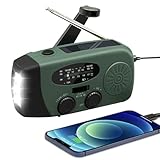
- 【2000MAH PHONE CHARGER WILL KEEP DEVICES POWERED】WVL emergency radio incorporates a 2000mAh portable charger capable of providing emergency power to any small tablet or phone, it may be our life-saving tool.
- 【PORTABLE RADIO WITH POWERFUL LIGHTING FUNCTIONS】This pocket-sized portable emergency radio's dimension is 130*50*60mm and weight 231g, which is surprisingly compact and light. Also, it comes with uper-bright 1.5W strong LED flashlight and motion sensor reading lamp.
- 【3 POWER SOURCES WHEN YOU NEED IT】The solar crank radios with multiple power backup options are the best choice in the emergency package. 3 Ways including Hand Crank, Solar Panel, Built-in Li-ion Rechargeable Battery, to to ensure that you can use the radio crank normally in an emergency. Never run out of electricity!
- 【Multi-functional Survival Tool】WVL alert radio come with standard analog tuning for AM/FM/WB preset NOAA weather channels. Preparing for bad weather such as hurricanes, tornadoes, rainstorms, fires, and more. It's also a emergency flashlight and SOS alarm emergency kit.
- 【Don't Worry After-Sales Service】Your voice prompts us to do our best. so we back 18-month returns and lifetime technical support for our emergency weather radio. If you are not satisfied with this emergency battery radio, just contact us and we will immediately provide you with a solution. Our customer service is available 24/7 for you! Emergency survival kit essential hand cranked radio!
WeatherBug and its listings also make claims about a large station network and faster information. Those should be treated as vendor claims unless independently verified for your location. A large network does not automatically mean the nearest station represents your exact microclimate, and it does not turn a long-range forecast into a certainty.
Choose it if: lightning awareness, air quality, pollen, cameras, traffic, and station context are valuable. Skip it if: you want the clearest single recommendation for radar and severe-weather coverage; The Weather Channel or the National Weather Service may be a better starting point.
Which weather app should you use?
- For one general-purpose app: Start with The Weather Channel, particularly if you are in the U.S. and want radar plus severe-weather alerts.
- For deciding whether to leave during possible rain: Try AccuWeather’s MinuteCast, while treating the start and end times as estimates.
- For hiking, boating, flying, or detailed outdoor planning: Use Windy to compare models and inspect wind, precipitation, radar, satellite, wave, or specialist layers.
- For widgets, alternate data sources, and custom alerts: Choose CARROT Weather, after checking which features work in your region and plan.
- For an iPhone with no setup: Apple Weather is the easiest default.
- For a fast search-based forecast: Google Weather is convenient where its nowcast and forecast features are available.
- For lightning, pollen, air quality, cameras, and station data: Consider WeatherBug.
- For official U.S. warnings: Check the National Weather Service mobile site in addition to any commercial app.
Do not use a commercial app as your only severe-weather source
The National Weather Service does not provide a standalone official mobile app. Its mobile site provides U.S. forecasts, radar, satellite imagery, and warnings, making it an important official reference during severe weather.
A commercial app may provide a more polished interface, push notifications, or easier radar playback, but the National Weather Service is the appropriate official source to verify U.S. watches, warnings, and forecast information. During dangerous weather, also follow local emergency-management instructions and do not delay action while comparing several apps.
How much should you trust a weather app?
Trust should depend on the forecast horizon and the question you are asking:
- Next few minutes to roughly an hour: radar-based nowcasts and precipitation timing tools can help with immediate decisions, but they can struggle with rapidly forming, weakening, or moving showers.
- Several hours to one day: hourly forecasts are useful for planning, but thunderstorms, coastal weather, terrain, and local boundaries can create large differences over short distances.
- Several days: use the forecast as a trend rather than a promise. Temperature and precipitation uncertainty generally increases as the horizon grows.
- Seven days or more: treat exact precipitation timing and small temperature differences skeptically. A broad pattern may be useful even when the details change.
Comparing apps can reveal disagreement, but disagreement is not enough to identify a winner. Providers may use different observations, models, correction systems, update schedules, and definitions of precipitation probability. A meaningful comparison requires the same location, timestamp, forecast horizon, and scoring method.
Independent reader supportYour contribution helps us test, update, and keep practical guides available for everyone.Want more accurate readings at home? Add local observations
Privacy, ads, and subscriptions
Weather apps generally need your location to provide a forecast, but the way they handle that location differs. The Weather Channel states that its services may collect or disclose precise geolocation data to service providers for personalization and service delivery. Review the current privacy policy and operating-system permissions before enabling continuous location access.
Best Value
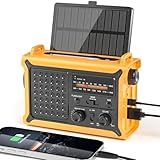
- 【Reliable 𝗡𝗢𝗔𝗔/𝗔𝗠/𝗙𝗠 Reception with Clear Sound】With a high-sensitivity signal chip, noise-reduction circuitry, and an extended antenna, the radio ensures 𝗳𝗮𝘀𝘁, 𝘀𝘁𝗮𝗯𝗹𝗲 𝗿𝗲𝗰𝗲𝗽𝘁𝗶𝗼𝗻 across NOAA FM AM bands. Whether you're sheltering during a storm or camping off the grid, you'll hear every update loud and clear.
- 【𝗛𝗶𝗴𝗵-𝗘𝗳𝗳𝗶𝗰𝗶𝗲𝗻𝗰𝘆 𝗦𝗼𝗹𝗮𝗿 𝗖𝗵𝗮𝗿𝗴𝗶𝗻𝗴 with Extra-Large Panel】The solar radio features a massive 8500mm² high-efficiency monocrystalline solar panel—over 4× larger than typical 2000mm² decorative polysilicon panels on the market. The expansive panel captures significantly more sunlight, delivering faster charging even in low-light conditions. Perfect for camping, power outages, and off-grid emergencies.
- 【𝗛𝗶𝗴𝗵-𝗧𝗼𝗿𝗾𝘂𝗲 𝗖𝗿𝗮𝗻𝗸 𝗣𝗼𝘄𝗲𝗿 for Fast Effortless Charging】With an upgraded internal generator—featuring a larger copper coil and reinforced magnet, the hand crank emergency radio delivers nearly 2× the charging efficiency of standard models. The extended crank arm offers smooth, low-effort rotation, letting you power up the radio or your phone in just 3 minutes when other sources fail. A must-have for your bug-out bag, survival kit, or emergency backpack.
- 【𝗧𝗿𝘂𝗲 𝟭𝟮𝟬𝟬𝟬𝗺𝗔𝗵 Power Capacity That Lasts】 Unlike inflated claims, the emergency crank radio is powered by a real 12000mAh lithium battery that keeps your gear running when you need it most. Whether you’re keeping the radio and lights on for days, you’ll have dependable energy throughout storms, blackouts, or outdoor adventures.
- 【Versatile Emergency Flashlight & Soft Reading Light】The noaa am fm radio includes a powerful flashlight that casts a focused beam up to 260 feet, perfect for dark trails, tents, or emergency navigation. Flip up the frosted reading lamp to enjoy a soft, warm glow that’s easy on the eyes. Both LED lights offer two brightness levels to match your needs—whether for safety or comfort.
Consider choosing approximate location, manual locations, or location access only while using the app when those options still provide the features you need. Also check whether a paid plan removes advertisements, unlocks genuinely useful radar or widget features, or merely adds convenience. Pricing, subscription names, included features, and regional availability are volatile and should be verified in the app or official store listing immediately before purchase.
A practical way to compare apps yourself
If forecast accuracy is your deciding factor, compare apps under the same conditions rather than relying on a universal ranking:
- Set every app to the same location and unit system.
- Record the current temperature, forecast high and low, precipitation probability, and rain start and stop estimate.
- Compare results at one-hour, six-hour, 24-hour, and seven-day horizons.
- Repeat the comparison in at least one coastal location, one inland location, and a different climate from your own.
- During an available severe-weather event, record when each app displays a warning and whether its radar is understandable and responsive.
- Note ad load, subscription prompts, widget quality, notification controls, accessibility, and battery impact.
- Compare the forecast with what actually happened, recording misses rather than only remembering successful predictions.
This approach will tell you which app fits your locations and decisions. It still will not establish that one provider is best everywhere.
The Tool Desk
Outbyte PC Repair FREERepair Windows errors before they cause bigger problemsFix Now →Outbyte Driver Updater FREEScan for outdated or missing drivers - takes under a minuteDriver Scan →Frequently Asked Questions
Which weather app is the most accurate?
There is no defensible universal winner. Accuracy depends on location, weather conditions, forecast provider, and time horizon. Use a short-term radar or nowcast for immediate rain decisions and treat longer-range forecasts as increasingly uncertain trends.
Is The Weather Channel free?
Yes. The Weather Channel offers a free ad-supported tier. Its current web subscription page also lists paid annual plans, including ad-free and Premium options with additional radar, forecast, and Storm Radar features. Prices and inclusions can change, so verify them before subscribing.
Does the National Weather Service have an official weather app?
No standalone official mobile app is provided by the National Weather Service. Its mobile website offers U.S. forecasts, radar, satellite imagery, and warnings and is an important source for verifying severe-weather information.
Will a personal weather station make my forecast more accurate?
Not automatically. A personal station measures conditions at your property and can provide useful local history, rain totals, wind data, and alerts. It does not guarantee better predictions of future weather or improve every app’s regional forecast.
Crashes, No Sound, or Screen Glitches?
Random freezes, missing sound and display glitches usually trace back to one bad driver. Find and replace yours safely.Free scan · under a minuteWindows Errors? Fix Them Before They Spread
Repair common Windows errors and clear accumulated junk for a smoother, more stable PC - no reinstall needed.Free scan · no reinstallThe Bottom Line
Bottom line: Choose The Weather Channel for the broadest all-purpose U.S. experience, AccuWeather for short-term precipitation timing, Windy for serious maps and multiple models, and CARROT Weather for customization. Apple Weather and Google Weather are sensible defaults when convenience matters most. During severe weather, verify commercial-app alerts with the National Weather Service and local emergency instructions.
Quick Recap
Product prices and availability are accurate as of the date/time indicated and are subject to change. Any price and availability information displayed on Amazon at the time of purchase will apply.

