
ACE Studio
ACE Studio: A broad desktop toolkit for AI singing generation, cloning, conversion, and vocal editing. Ranked #3 of 25 in AI Singing Voice Generators by our editors (9.0/10); pricing: Paid; best for creators wanting cloning and MIDI generation.
At a glance
- Editor score9.0 / 10
- PricingPaid
- Best forCreators wanting cloning and MIDI generation
- Free planNo
- Voice cloningYes
- Facts checked20 Sep 2026
Where it wins
- Generates singing vocals from MIDI and lyrics
- Supports custom singing voice cloning and vocal-to-MIDI conversion
- Offers separate-track rendering, stem splitting, and DAW integration
Where it doesn't
- No free plan is available
- Runs only on Windows and macOS
- Paid plan licensing has voice- and feature-specific exceptions
Our verdict on ACE Studio
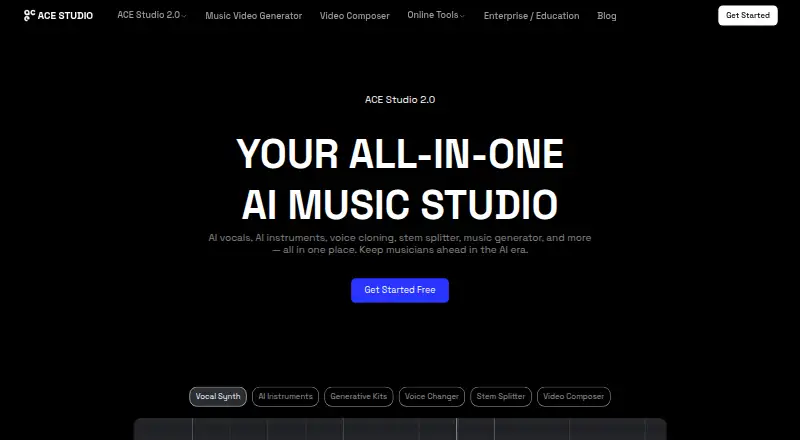
ACE Studio is a paid desktop AI music workstation for music producers and creators who need more than text-to-vocal generation. It creates singing vocals from MIDI and lyrics, supports custom voice cloning from uploaded vocal samples, and includes AI voice and instrument models. Its broader toolkit also covers vocal-to-MIDI conversion with lyrics, voice changing, stem splitting, and audio production workflows. The application runs on Windows and macOS, with cloud rendering and local rendering available on suitable hardware.
The product stands out for covering both composition and conversion. Producers can generate vocals from MIDI and lyrics, convert vocal material into MIDI with lyrics, and export MIDI or UFData files. Audio export supports separate-track rendering, while stem splitting can help divide audio into component parts. The published plans include unlimited AI voices and instruments, more than 160 royalty-free pre-made AI voices, and more than 40 royalty-free AI instruments. Artist includes one vocal synth voice-cloning slot, one voice-changer voice-cloning slot, and 2,500 credits per month; Artist Pro increases those allowances to five and ten slots and 5,000 credits per month.
ACE Studio also fits workflows built around digital audio workstations through ACE Bridge. Export options include WAV, MP3, MID, UFData, CLIPS, and ACET, and the product supports eight languages. Commercial use is allowed for outputs, subject to voice- and feature-specific licensing exceptions. Choose ACE Studio if you want a desktop environment combining AI singing generation, voice cloning, MIDI workflows, and audio conversion. It is less suitable for creators seeking a free plan, a browser-only product, or a narrower tool focused only on vocal generation.
Your product? Our editors can test ACE Studio in depth and publish a review, labelled as paid · from $149/mo →
ACE Studio pricing
All 2 ACE Studio plans and prices →
ACE Studio fact sheet
| Free plan | No |
|---|---|
| Paid from | Not verified |
| Voice cloning | Yes |
| Vocal input | Yes |
| MIDI support | Yes |
| Stem export | Yes |
| Supported languages | 8 languages |
| Export formats | WAV, MP3, MID, UFData, CLIPS, ACET |
| Commercial use | Allowed |
| Deployment | Cloud, Desktop |
| Platforms | Windows, macOS |
| Support | Email, Docs |
| Built for | Solo, Small business, Mid-market (editorial estimate) |
| Integrations | 2 integrations: ACE Bridge, digital audio workstations |
| Pricing | Paid (source) |
| Website | acestudio.ai |
| Facts checked | 20 Sep 2026 |
ACE Studio integrations
ACE Studio lists 2 integrations on its own site.
- ACE Bridge
- digital audio workstations
Alternatives to ACE Studio
- LyricToMelody AIA broad songwriting workspace for building vocal drafts, arrangements, and DAW-ready exports.9.4
- Synthesizer V Studio 2 ProA focused desktop tool for precise editing of synthesized vocals.9.2
- Kits AIA broad vocal-production toolkit with cloning, conversion, blending, and mastering.8.8



See all ACE Studio alternatives →
ACE Studio vs the competition
- ACE Studio vs LyricToMelody AI
- ACE Studio vs Synthesizer V Studio 2 Pro
- ACE Studio vs Kits AI
- ACE Studio vs Audimee
- ACE Studio vs Revocalize AI
- ACE Studio vs Voice-Swap



Compare ACE Studio with any tool side by side →
Also Ranked In
ACE Studio is ranked in 3 of our directories.
Used ACE Studio? Be the first to review it
The editor score above is our own research. What this page doesn't have yet is a reader's view — what you used ACE Studio for, what worked and what didn't. No stars are seeded and no review is paid for; an editor reads every one before it appears.
Write a reviewTwo minutes · verified accounts only · read by an editor before it appears
Featured on iTechGuides

ACE Studio is listed in our AI Singing Voice Generators directory. Add the badge to your site — it links back to this page.
<a href="https://www.itechguides.com/products/ace-studio/"><img src="https://www.itechguides.com/best/badge/ace-studio.svg" alt="Featured on iTechGuides" width="230" height="46"></a>
Reviewed by iTechGuides Editors · Editorial team · Updated Oct 2026
Advertiser disclosure: iTechGuides is reader-supported. Vendors can pay for top positions in our rankings and for a place on other products' pages, and we may earn a commission when you click some links. Bought places stand at the number bought; this page and our disclosure say so. Paying vendors may get a fuller, more detailed review from our editors, and that review can change their score. How we rank.
Last updated · How we research and update